Hard Rock
WDollars

More coins. More play.
Put WDollars toward eligible
coin packages and in-game Deals.

What Are WDollars?

WDollars are virtual purchase credit for eligible coin packages and in-game Deals in Hard Rock Jackpot Planet and Hard Rock Neverland Casino. Your balance lives in W-WALLET.

Each WDollar provides $1 USD toward approved in-game purchases. WDollars have no cash value, cannot be transferred, and cannot be cashed out.

New to the games? Explore our free-to-play social casino games or find more how-to-play guides.

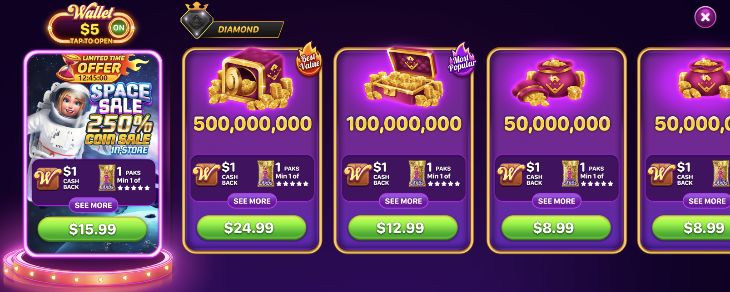
Example in-game Shop showing W-WALLET switched on beside coin packages and WDollars cashback offers
Example Shop screen. Packages, prices and promotional rewards vary by offer.

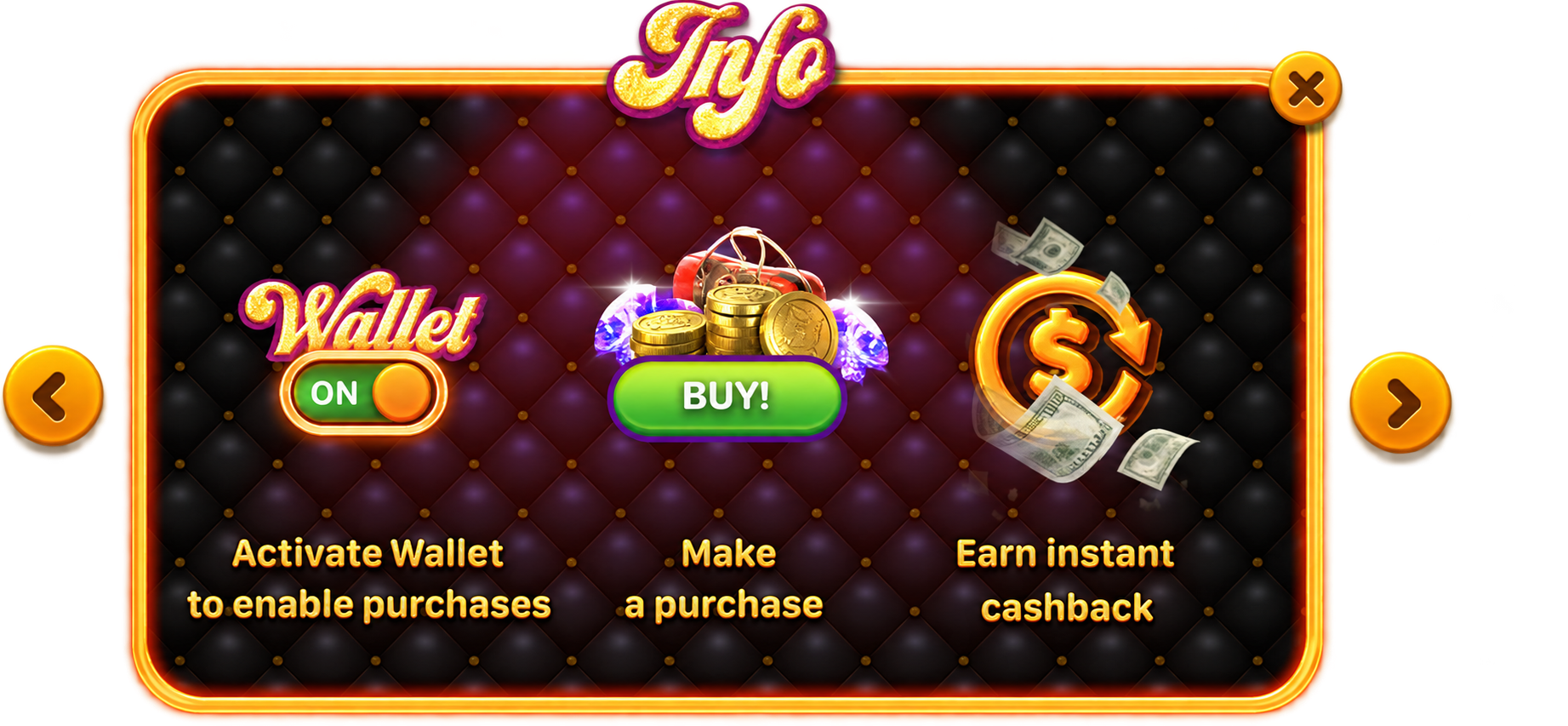
Inside Your W-WALLET

W-WALLET tutorial illustration showing wallet activation, an in-game purchase and promotional WDollars cashback
Example wallet tutorial. Cashback is WDollars virtual credit awarded by select offers.
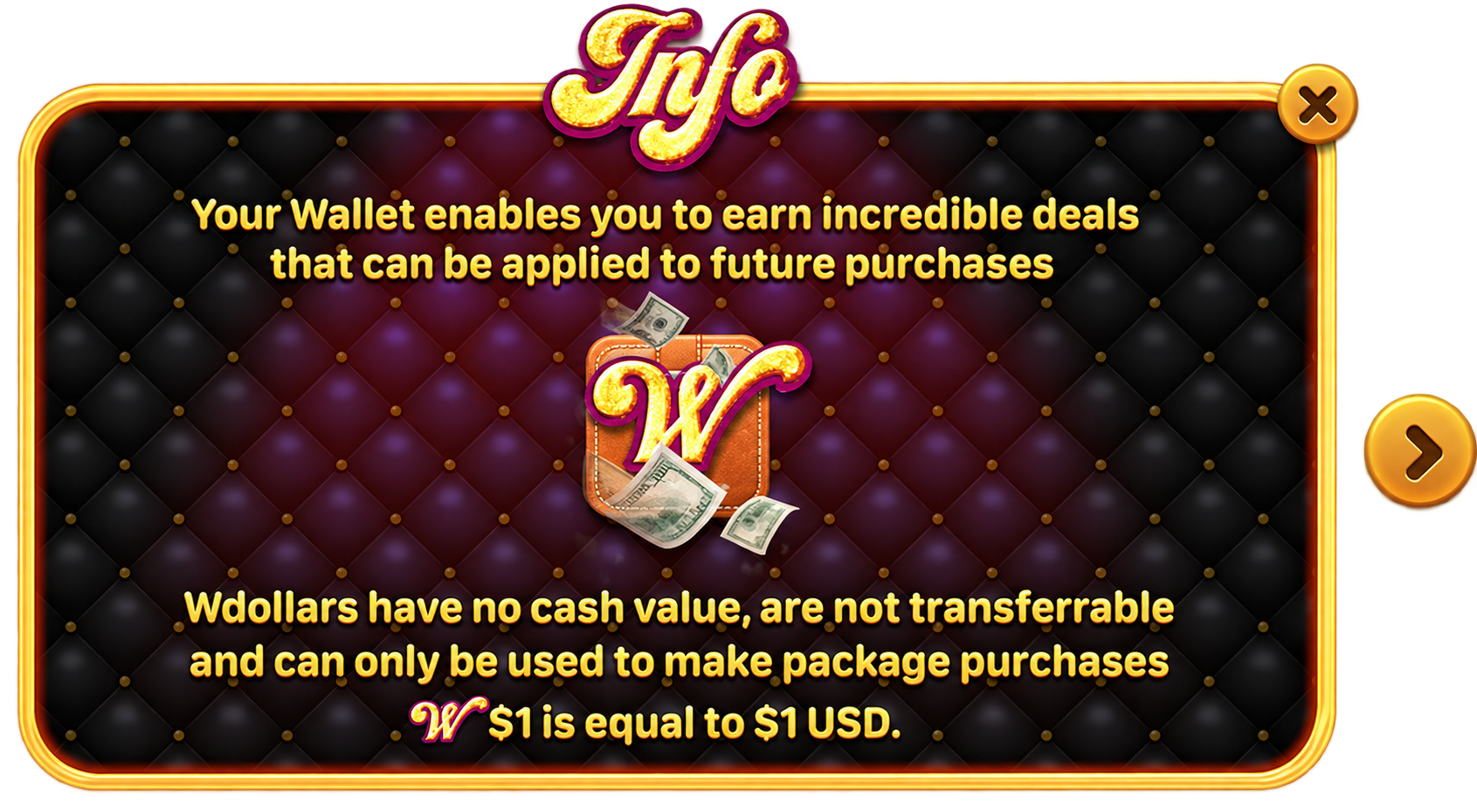
W-WALLET illustration explaining WDollars purchase credit, no cash value and non-transferability
1 WDollar = $1 USD in virtual purchase credit. WDollars have no cash value and are non-transferable.

How to Get and Use WDollars

Get WDollars in the Webshop

Ready to stock up? Choose a WDollars package in the Hard Rock Games webshop.

Step 1

Open the Webshop

WDollars wallet with a gift box

Visit the Hard Rock Games webshop. Sign in with the phone number registered to your Jackpot Planet or Neverland Casino account.

Step 2

Choose a WDollars Package

WDollars shop package illustration with a check mark

Check the price, WDollars amount and listed extras before you buy.

Step 3

Check Your Balance

WDollars wallet with a magnifying glass for checking the balance

Open W-WALLET in your app after purchase. Check your WDollars balance before choosing an eligible coin package or Deal.

Spend WDollars on Coins & Deals

Put your balance to work on the coins and in-game items you want.

Step 1

Switch W-WALLET On

Illustration of the W-WALLET switch set to ON

Open the Shop, check your WDollars balance and set W-WALLET to ON before choosing an eligible purchase.

Step 2

Pick Your Package

WDollars shop package illustration with a check mark

Choose an eligible coin package or Deal. Review its price and included items before you confirm.

Step 3

Get Your Coins and Play

Gold game coins with a purple play symbol

Complete your purchase. Get the coins and other in-game items shown in your package, then keep playing.

Earn Virtual Credit for Next Time

Keep an eye out for offers that include WDollars credit for a future purchase.

Step 1

Look for WDollars Rewards

WDollars wallet with a gift box

Look for a WDollars reward in the offer. Cashback is available only on qualifying purchases and promotions.

Step 2

Check the Offer Requirements

WDollars shop package illustration with a check mark

Check what you need to do and how many WDollars the offer includes.

Step 3

Use the Credit Next Time

WDollars wallet with a magnifying glass for checking the balance

Check W-WALLET for your reward. Switch it ON when you are ready to spend the virtual currency on another eligible coin package or Deal.

Use WDollars in Both Apps

WDollars & W-WALLET FAQs

Your guide to WDollars virtual currency, W-WALLET and eligible purchases.

Can I cash out WDollars?

No. WDollars can only be used as credit toward approved in-game purchases. They cannot be redeemed for cash or withdrawn as money.

No. WDollars are non-transferable. Use them for eligible purchases in the account where they were received.

No. When a qualifying offer includes WDollars cashback, the reward is virtual purchase credit. Check the offer for the amount and requirements before you buy.

In Hard Rock Jackpot Planet, W-WALLET becomes available at level 13. See the official W-WALLET guide for access instructions. For help with your account or Hard Rock Neverland Casino, contact player support.

Check that W-WALLET is switched ON, that you have a balance, and that the package or Deal accepts WDollars. If an eligible purchase still does not use your credit, contact player support for help with the transaction.

Get WDollars.
Keep the Play Going.